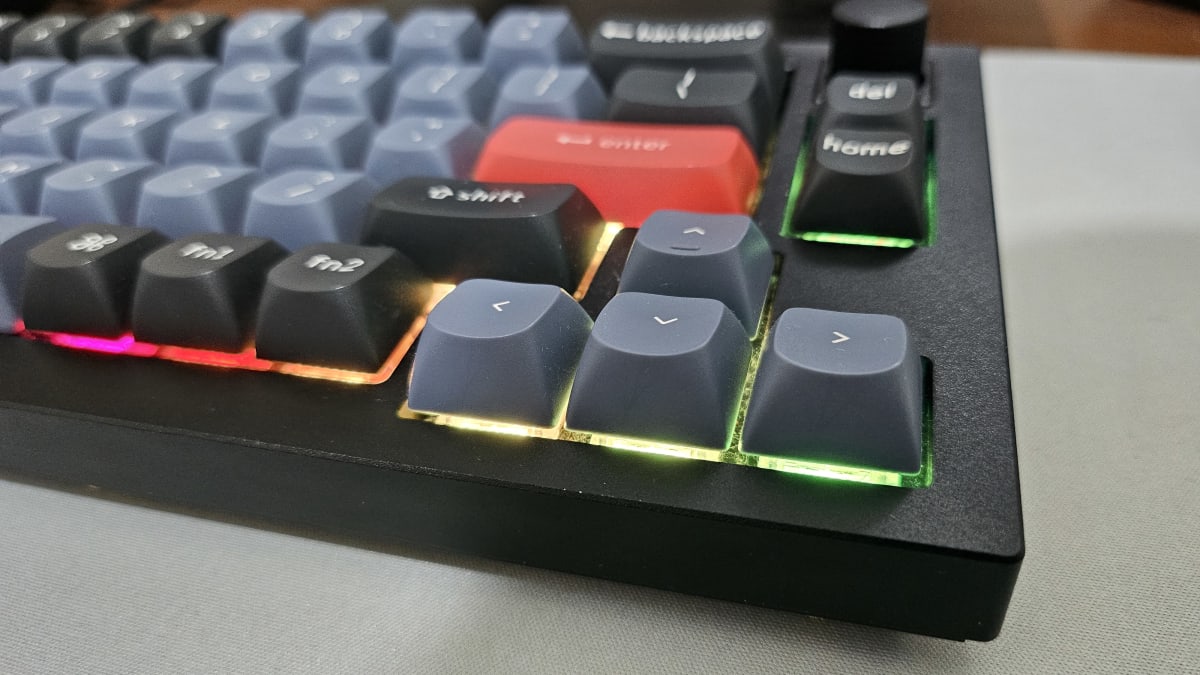
My Journey into DIY Mechanical Keyboard Modding
I've been a big fan of keyboards since I was a child. Maybe it's because I've been playing computer games for decades. When you're into rhythm games, the type of keyboard you use is extremely important and could deeply affect your performance. The typing experience became even more crucial after I started coding. A smoother typing experience just makes work so much more enjoyable.
Anatomy of a Mechanical Switch
Before diving into modding, let's understand what makes up a mechanical keyboard switch. Here's an animated breakdown of a hot-swappable switch:
The Starting Point
I've always wanted to mod my mechanical keyboard but never took the first step. Probably because I wasn't confident enough in my skills and lacked the tools. I'd been watching modding videos for years, just appreciating them from the sidelines.
Then came a time when I was about to switch from my Keychron K6 to a Keychron Q2. I thought, since I'm gonna change anyway, I can use the K6 as a testing ground. I wouldn't feel that bad if it broke.
Getting Started
After some time preparing and buying tools on Shopee, I finally made my first step in modding. Here's what I got:
- Poron sound dampening foam (Shopee)
- Permatex (Shopee)
- Krytox GPL 205 G0 (Shopee)
- Krytox GPL 105 (Shopee)
- Switch holder (Shopee)
- Small brushes (Shopee)
- Switch Opener (Shopee)
- Masking tape (DAISO)
Although I bought most of my stuff on Shopee, you can also get these at physical stores like 硬派精璽台北店 and 改裝軍團, both near 光華商場 in Taipei.
First Results
My first try was a success! The K6 became a lot smoother and had much lower noise levels. Feeling confident, I then proceeded to mod my brother's Keychron K8 as well.
But since the K6 had an ABS frame and was lightweight, the typing experience still wasn't ideal. So I decided to try modding my Q2, which has an aluminum frame, is more compact, and heavier.
The result? Excellent. The typing experience is buttery smooth. Although I've also modded another wireless keyboard (Nuphy Halo 65), the Keychron Q2 is still my favorite. Maybe it's because of its compactness, and because it's wired, there's literally no latency issues.
Tips and Resources
In general, for keyboard enthusiasts who want to level up their typing experience, I'd definitely suggest trying to mod your own keyboard. It doesn't cost much for the tools, but definitely requires a lot of patience. For my case, one keyboard probably took 1-2 hours.
Having lived in multiple countries, one of the things I like most about Taiwan is that it's extremely convenient for online shopping. Whether it's from local platforms or even from Taobao China, you can send items either to your home or to a convenient store nearby. You may get all the tools ready within a week.
As for the steps and tutorials, you can watch channels like :3ildcat or Hipyo Tech.
One Important Warning
Always try to be delicate while plugging in the switch to the switch socket (if it's hot swappable). I had this situation where I thought the switch was stuck, but actually the pin was probably off a bit. When I force-pushed it into the socket, it damaged the socket and popped it out to the point that the key didn't respond anymore. I had to get other tools and use a jumper wire to fix it. Don't make the same mistake I did!
My Q2 Mod Video
Here's a fast-forwarded video of my Q2 mod in action: